The creator workspace with a useful next step

Your work. Your people.
One useful place.

Create a page your audience can use. Share a form or a practical tool. Keep the conversation in a community you manage.

Free at launch. Finite allowances. Your private work stays private.

Customisable pagesPractical toolsPublic formsFocused communities
Your workspace, at a glance
Actual interface · sample content
Actual product screenshots. All example content is synthetic.Explore four useful workflows

TAKE A LOOK INSIDE

A clearer path from
your link to your people.

Build the next thing your audience needs. Keep the page, the response and the follow-up in the same workspace.

MAKE IT YOURS

A home for your work. A useful next step.

Arrange your sections, choose your colours and bring your links, forms and resources into one page. You decide when it is ready to publish.

  • Covers, gradients and supported page blocks
  • Drag controls and keyboard alternatives
  • Draft and public sharing choices
Your page · actual interface
Actual Campfold page builder with synthetic example content.View in detail
Actual interface with synthetic sample content. Enlarge it to read the details.

START A USEFUL CONVERSATION

Ask a better question. Keep the answers private.

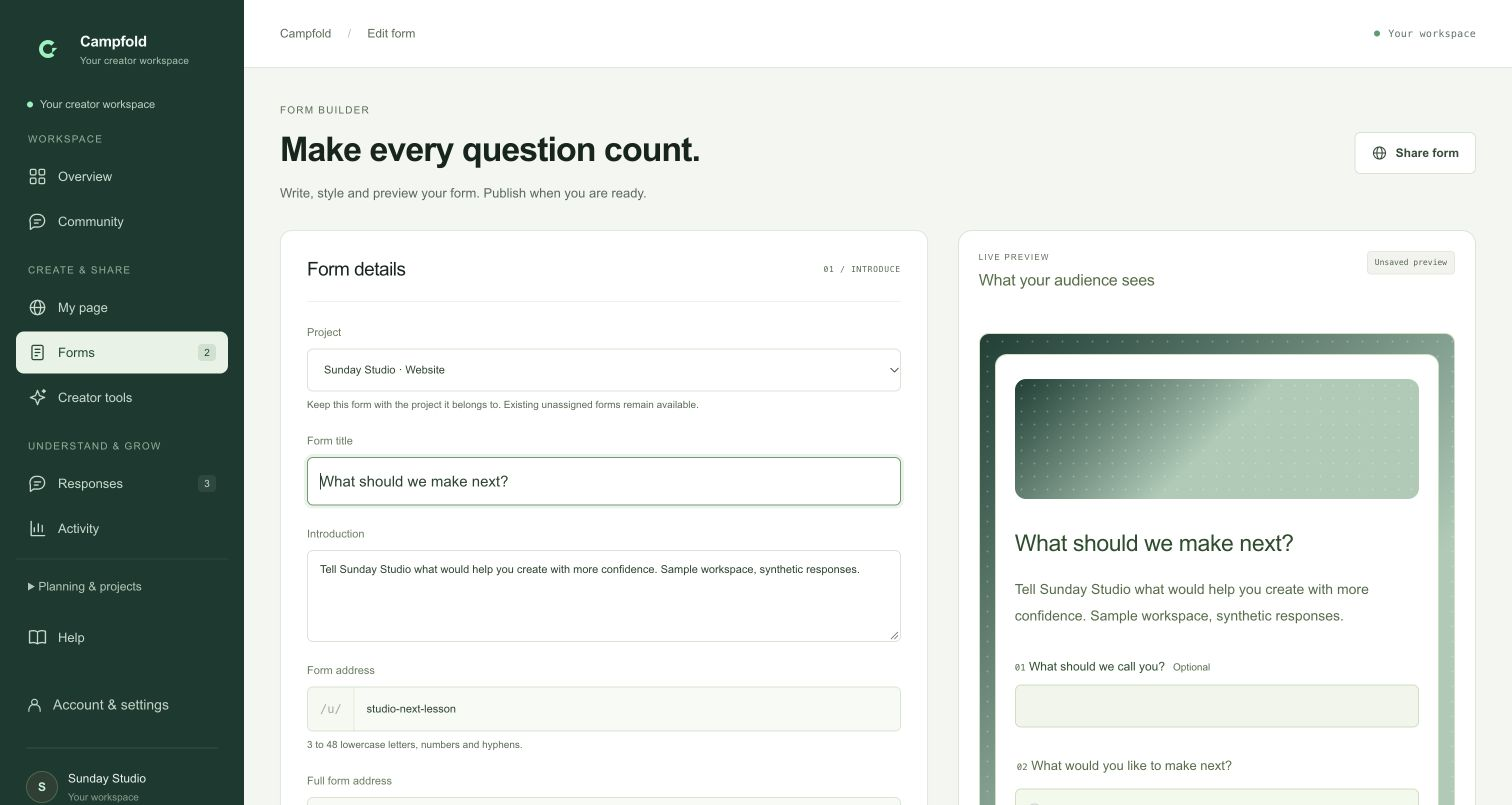
Build a form, check its preview and share a published visitor link. Your audience can answer a public form without creating an account.

  • Eight supported question types
  • Independent public form links
  • Private answer review and bounded exports
Your forms · actual interface
Actual Campfold form builder with synthetic questions and preview.View in detail
Actual interface with synthetic sample content. Enlarge it to read the details.

GIVE YOUR PEOPLE A PLACE

Keep the conversation close to your work.

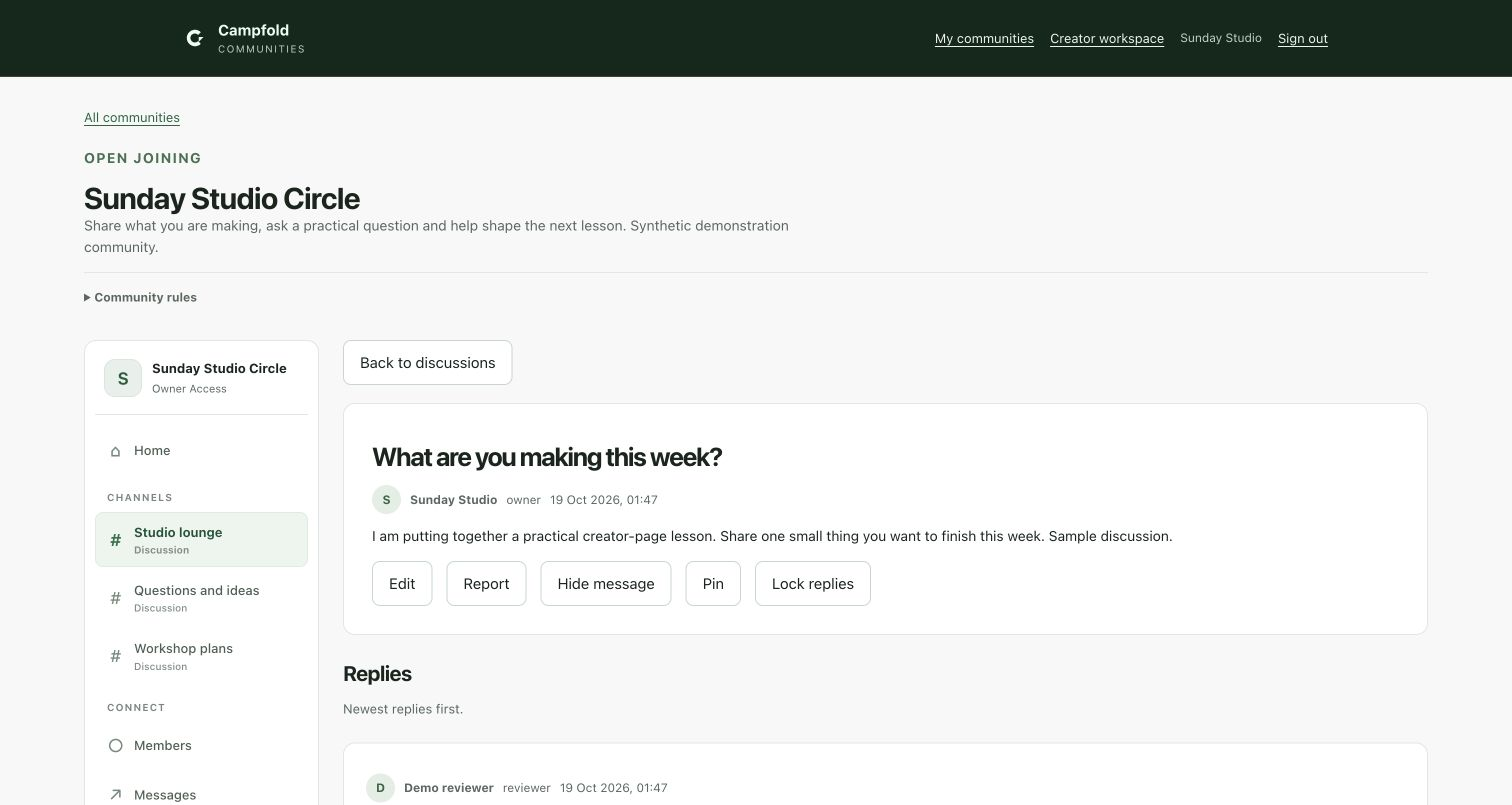
Create focused channels, choose how people join and give each person the right access. Questions, updates and shared forms stay together.

  • Open or approved joining for verified accounts
  • Scoped owner, moderator and reviewer roles
  • Announcements and consent-based conversations
Your community · actual interface
Actual Campfold community interface containing synthetic example discussions.View in detail
Actual interface with synthetic sample content. Enlarge it to read the details.

LEARN WHAT HAPPENS NEXT

See the activity behind a shared link.

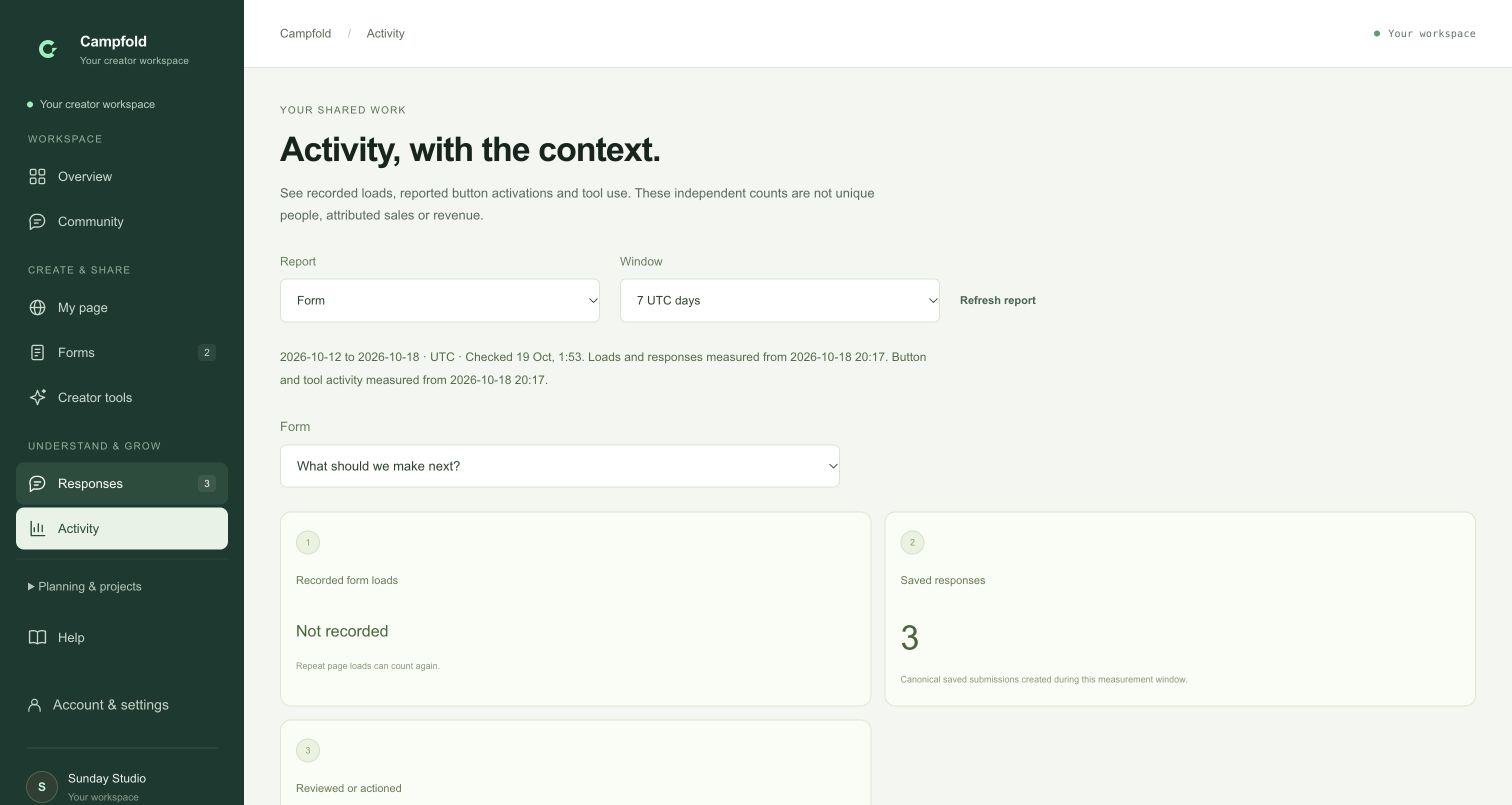
Review recorded page loads, form responses, page-link clicks and tool interactions. Keep the counting rules visible while deciding what to improve.

  • Seven- and thirty-day aggregate views
  • Separate page, form and tool measurements
  • Loads and clicks are not unique people or sales
Your activity · actual interface
Actual Campfold activity interface with clearly synthetic example data.View in detail
Actual interface with synthetic sample content. Enlarge it to read the details.

Product preview

Inside Campfold

Fit

GIVE EACH VISIT A NEXT STEP

Make your audience
part of what comes next.

A page introduces your work. A useful interaction gives people a reason to stay involved.

01 / SHARE YOUR METHOD

Give people something
they can use.

Turn a repeatable process into a number-based planner or calculator. Visitors get a local result without an account or AI call.

Your methodVisitor inputA useful result
Explore creator tools
02 / LISTEN WITH A PURPOSE

Turn a question
into a next step.

Ask for feedback, ideas or a collaboration brief. Review responses privately, record what you will do next and export the fields you need.

Learn about responses
03 / KEEP PEOPLE TOGETHER

A community
with a clear purpose.

Bring questions, announcements and member discussions together. Choose open or approved joining, create channels and assign scoped team roles.

OwnerModeratorReviewerMember

Discussions and private messages refresh manually. New member registration is currently paused.

04 / MAKE AN INFORMED CHANGE

See what was recorded.
Know what it means.

Compare daily activity for your page, forms and published tools. Keep responses separate from clicks and use the evidence to ask better questions.

Aggregate counts are not unique visitors, purchase attribution or proof of sales.

YOUR FIRST USEFUL FLOW

Start small.
Make it work for someone.

For a workshop, a product idea or your next piece of content, begin with a clear need.

  1. 01

    Make your destination.

    Build a page in your own style. Add the links, sections and resources that help someone understand your work.

  2. 02

    Offer a useful action.

    Publish a form or tool, then share its visitor link where your audience already finds you.

  3. 03

    Keep learning together.

    Review answers and activity. Continue the relevant conversation in a focused community.

MAKE IT FIT YOUR WORK

Different work.
A useful common ground.

Creators

Bring your projects, content briefs, public resources and audience questions into a workspace you can return to.

Marketers

Prepare a campaign plan, share tagged form links and review responses alongside bounded activity reports.

Community builders

Create a place for a specific interest, organise channels and keep member access and moderation deliberate.

COMPLETELY FREE AT LAUNCH

Room for your
first useful thing.

Core pages, forms, practical tools and communities do not need AI credits or a subscription. Finite allowances keep the service manageable.

See access and limits
$0at launch
No paid upgrade checkout
  • One creator page with supported design controls
  • Two active projects, forms, tables, campaign plans and product drafts each
  • One community, five channels and up to 100 active or pending members
  • Finite storage, retained-data and request allowances

AI, Google sign-in and social connections are currently off. New signup and password recovery remain paused while account delivery is configured.

THE IMPORTANT DETAILS

A few things,
clearly.

Can someone new create an account today?

New account creation and password recovery are currently paused. Existing migrated accounts are retained. We will enable new accounts only after the account email setup is ready; there is no waitlist form or newsletter signup on this page.

Does my audience need an account?

Explicitly published public pages, forms and practical tools can be used without an account when the application is available. Community participation requires a verified account and the community’s access rules. New community account registration is currently paused.

Can I customise my page?

Yes. Choose supported colours, gradients, covers, spacing and layouts. Add your own text sections and arrange blocks with drag controls or keyboard alternatives. The builder uses supported safe blocks, rather than unrestricted HTML or scripts.

Does Campfold import all my social data?

No. Profile links are normal links. Supported CSV imports require explicit mapping. Automatic full Instagram and YouTube imports are not available, and social connections and AI are currently disabled.

Are communities real-time chat?

Communities offer scoped channels, topics, replies, announcements, moderation and accepted private conversations. Updates refresh manually. Voice, video, presence, push notifications and message attachments are not included.

What can the activity numbers tell me?

Activity reports show bounded aggregate loads, reported link clicks, saved responses and supported tool interactions. They do not identify unique people, prove a purchase or promise audience growth. The guides explain the counting and privacy rules.

YOUR WORK. YOUR PEOPLE. YOUR CORNER.

Give the next idea
a place to grow.

Explore the product, understand the limits and start with something useful.